2025 Release Wave 2: What’s new in Power BI

Dec 15, 2025
  • IT
  • Microsoft

Microsoft Power BI is all about making reporting easier, faster, and smarter. The latest updates focus on flexibility, collaboration, and AI assistance, so you spend less time wrestling with technical details and more time getting insights. Here’s what’s new and why it matters.
Are you looking for the updates about Microsoft Fabric? Make sure to read our other blog, as well.

Power BI Desktop

New report format: PBIR becomes the standard

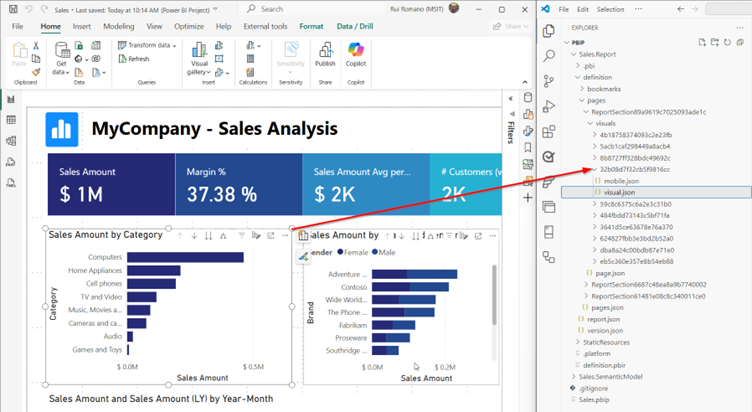
Starting January 2026, Power BI will switch to a new report format called PBIR. Why? It makes version control and collaboration easier, especially for teams using Git or working on multiple environments. 

During preview you can still opt out (Desktop Preview features or a tenant setting), but when PBIR reaches general availability, it becomes the only supported report format.

What does this mean for you? Nothing drastic: your reports will look and behave the same. It’s mostly a behind-the-scenes improvement for better governance and teamwork.

Read more on Microsoft's website


Smarter time calculations with custom calendars (preview)

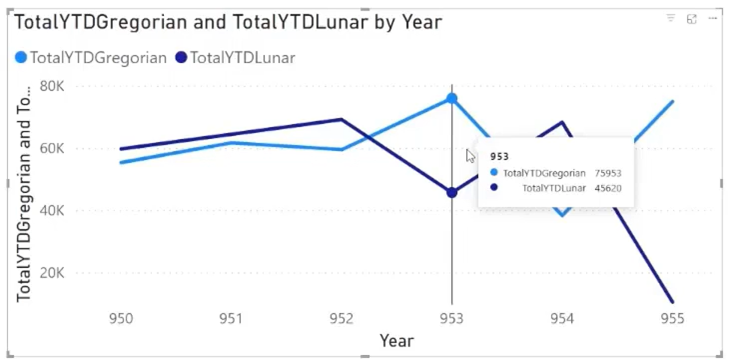
Calculating year-to-date or quarter-to-date figures is common, but what if your fiscal year starts in July, or you follow a school calendar? Power BI now lets you create custom calendars and apply time-based calculations to them, so your reports match your business reality.

Example: Compare sales based on your fiscal year and a standard calendar side by side. This flexibility makes reporting more relevant to your business.

Read more on Microsoft's website


Reusable formulas for cleaner reports (preview)

Power BI’s formula language, DAX, is powerful, but can get messy. The new User Defined Functions (UDFs) feature lets you create reusable formulas, so you don’t have to copy-paste the same logic everywhere. This keeps your reports tidy and reduces errors.

Read more on Microsoft's website

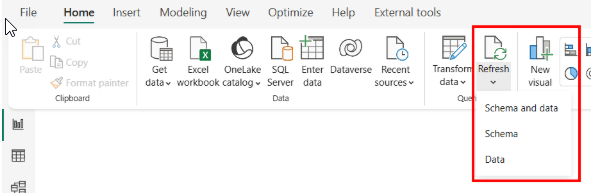
Refresh data or structure separately

Refreshing everything used to take time. Now you can refresh just the data or just the structure of your report.

Why it matters: If your schema hasn’t changed, you can skip that step and save time.


Bye Bing Maps, hello Azure Maps

The Bing Maps visual is being phased out. Switch to Azure Maps for better visuals and future-proof reports.

💡 Tip: Start migrating now to avoid surprises later, even though the final timeline is still being determined. And please note that Azure Maps is not available in government cloud environments.

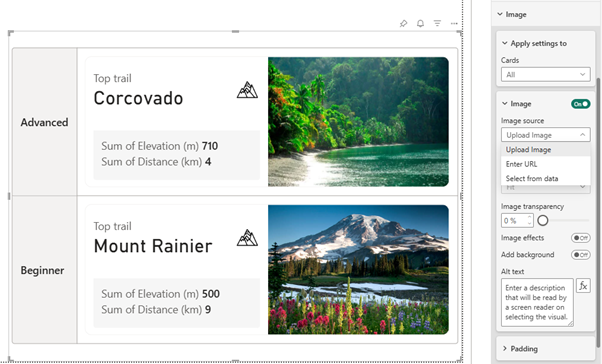
New card design for a modern look

Cards got a makeover! You can now add images, use multi-card layouts, and enjoy a cleaner design. The result? Dashboards that look more polished and professional.

Read more on Microsoft's website

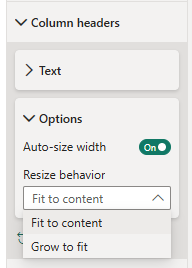
Columns that fit perfectly

Columns now auto-adjust to fill space, so no more awkward gaps. A small change, but a big win for clean layouts. You can apply this to Matrix and Table visuals.

Read more on Microsoft's website

Power BI Online

Copilot: now everywhere and smarter than ever

Microsoft is doubling down on Copilot in Power BI, and the second half of 2025 brought some big changes:

  • Embedded reports in SharePoint Online: Copilot now works inside embedded Power BI reports in SharePoint, so users can ask questions without leaving the page.
  • Measure descriptions: Copilot can automatically generate descriptions for your measures, making reports easier to understand for everyone.
  • Write formulas for you: As of October, Copilot can write Power BI formulas (called DAX) based on natural language prompts. No need to memorize syntax; just tell Copilot what you need.

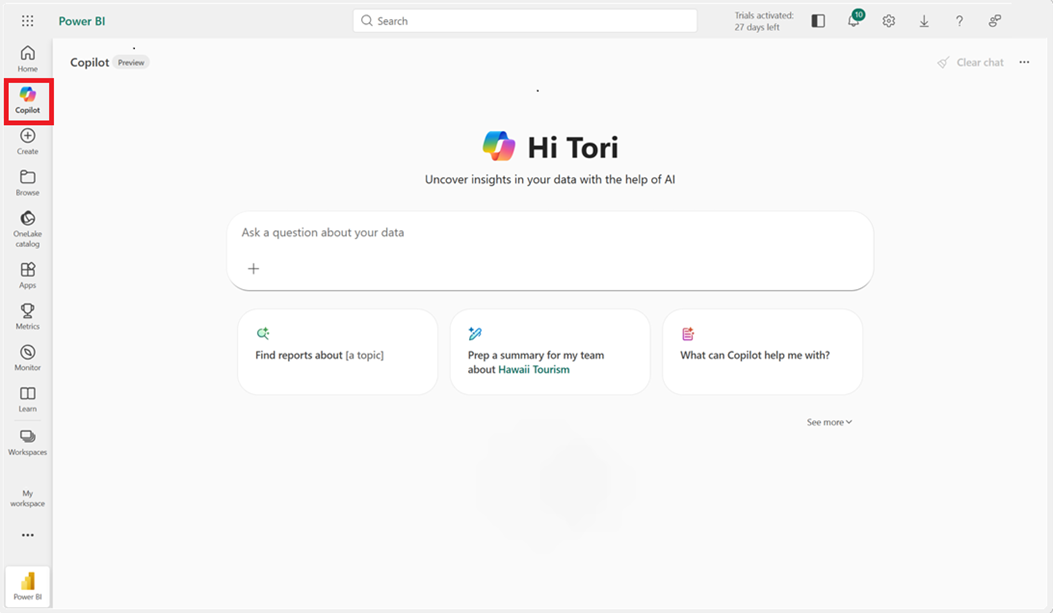
  • Standalone Copilot experience: The full-screen “Chat with your data” mode got smarter with features like filtered report summaries, suggested prompts, and the ability to attach items to your search.

  • Mobile app integration: In November, Copilot became available in the Power BI mobile app, so you can ask questions on the go.

  • Enabled by default: Since September, standalone Copilot is turned on by default. If you want to disable it, you’ll need to do so in your tenant settings

Read more on the Power BI website

Read more on Microsoft's website


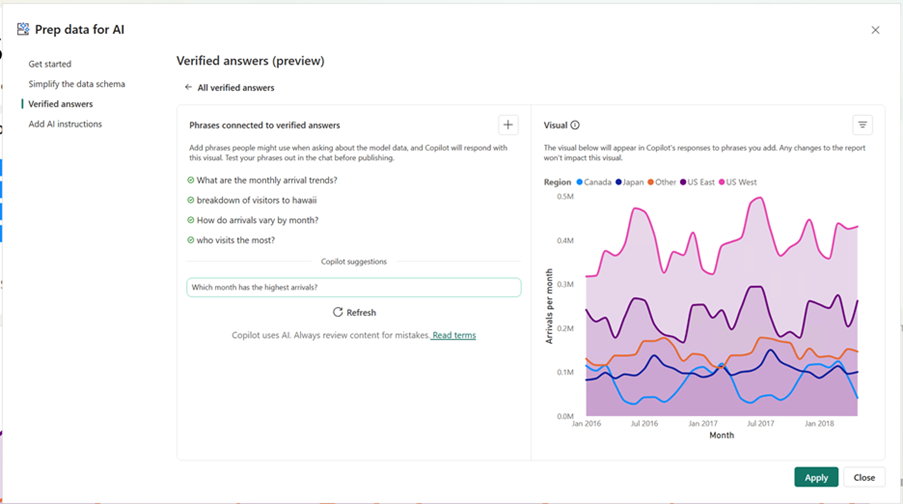
💡 And one more tip: Set up Verified Answers so Copilot gives accurate, trusted responses. This feature links visuals to specific questions or keywords, so Copilot can return accurate, trusted answers instantly. You can even add filter options that users can adjust directly in the Copilot pane.

Read more on Microsoft's website


Organizational apps (preview)

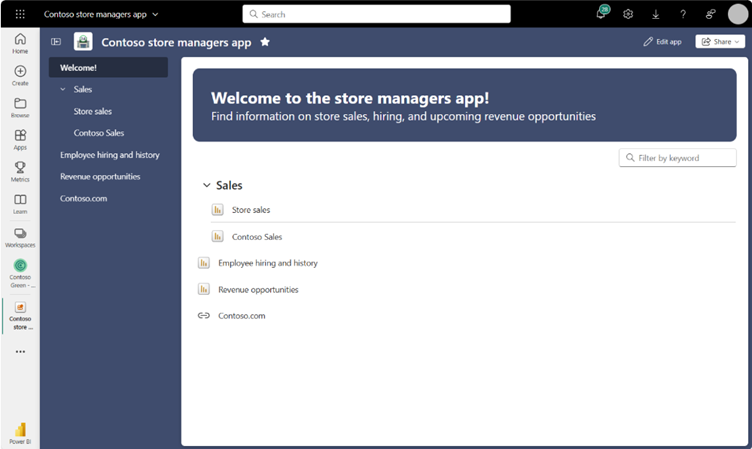
Think of organizational apps as your way to give dashboards a proper home. Instead of sending users into a maze of workspaces, you can create custom apps with landing pages, helpful links, and clear navigation. Perfect for teams that need structure without complexity. And yes, it looks a lot more polished than the old workspace app approach.

Read more on Microsoft's website


Performance analyzer in the browser

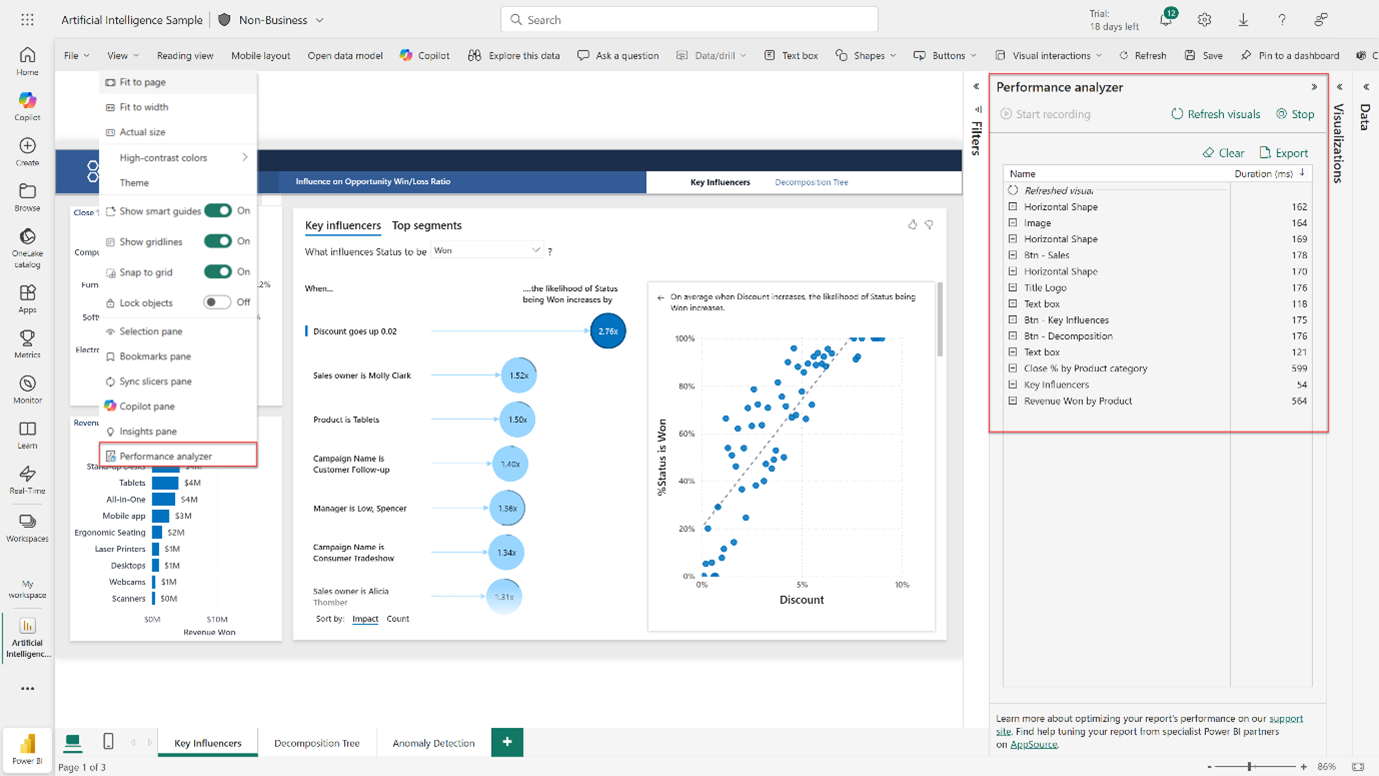
Ever wondered why a report feels slow? Now you don’t have to guess. The Performance Analyzer is available right in Power BI Online, so you can see what’s taking time - without blaming your laptop.

Read more on Microsoft's website


Version history for models

Made a change you regret? No panic. Power BI now lets you roll back up to five previous versions of your semantic model when editing online. It’s version control without the drama - because mistakes happen.

Important to know: This feature only works for models edited online or live-edited in Power BI Desktop. If you publish a local model manually, it will overwrite the history.

Read more on Microsoft's website


Q&A is going away, but Copilot has you covered

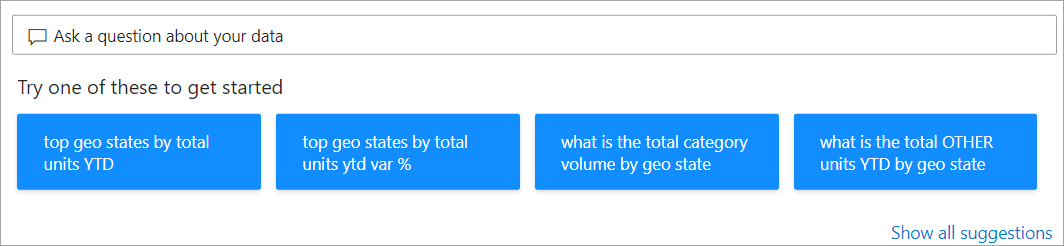
Microsoft announced that the Q&A feature will be retired in December 2026. By then, every Q&A scenario will have a Copilot-powered alternative, offering a more advanced and conversational experience. So, while Q&A is leaving, you’re getting something smarter in return.

PowerPoint integration upgrade

Embedding visuals in PowerPoint used to mean endless clicks. The new Power BI Controller add-in lets you adjust multiple visuals at once.

Read more on Microsoft's website

Wrapping up

This wave is all about ease of use and AI that works for you. From PBIR and custom calendars to Copilot everywhere, Power BI is making reporting smarter and simpler.

For a complete list of all recent changes, we recommend checking out the official Microsoft Power BI update blog or the Power BI roadmap.

Need help?

Microsoft Power BI continues to grow - not just with new features, but with thoughtful improvements that make working with data more intuitive and collaborative. Whether you’re building reports, exploring insights, or managing models, these updates are designed to help you work smarter.

Want to explore these features in your own environment or need help getting started? We’re happy to guide you.


Related content